Studio
A dashboard built for Postgres
Every project comes with Studio: a spreadsheet-style table editor, a SQL editor, authentication users, a storage browser, a realtime inspector and policy management — built into your dashboard, so it opens instantly.

What you get
Everything for your data
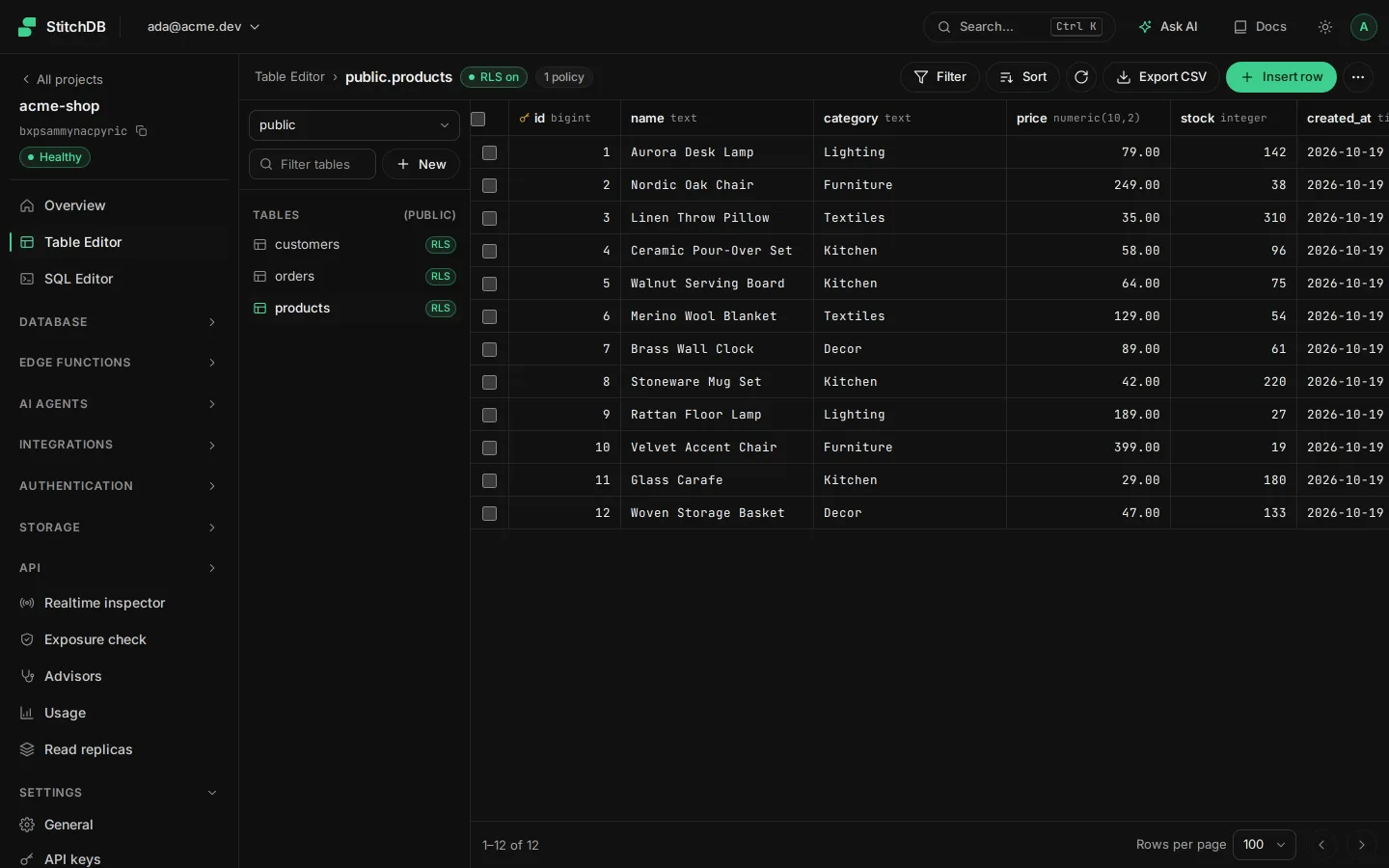
Table editor
Create tables and edit rows like a spreadsheet; toggle Data API access per table.
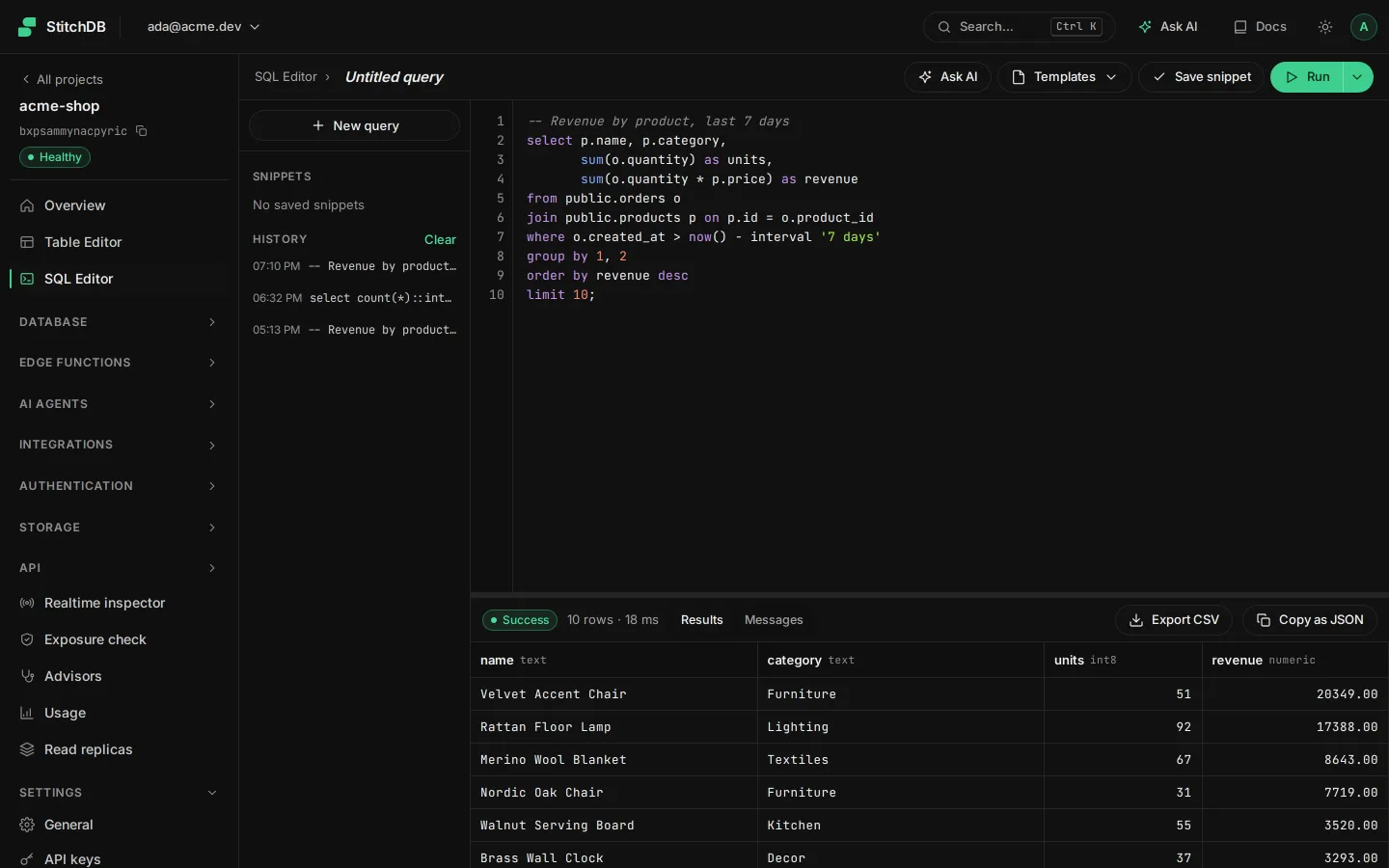
SQL editor
Run queries and migrations, with schema changes picked up by the API immediately.
Users, files and policies
Manage auth users, browse buckets and write Row Level Security policies.
In the dashboard
Studio in your project dashboard
A real screen from the StitchDB dashboard.

How it works
Get started with Studio
Open from the dashboard
Studio is part of your project's dashboard: no separate app to load.
Jump straight to a tool
The project sidebar links directly to the Table Editor, SQL Editor, Database, Authentication, Storage and Realtime.
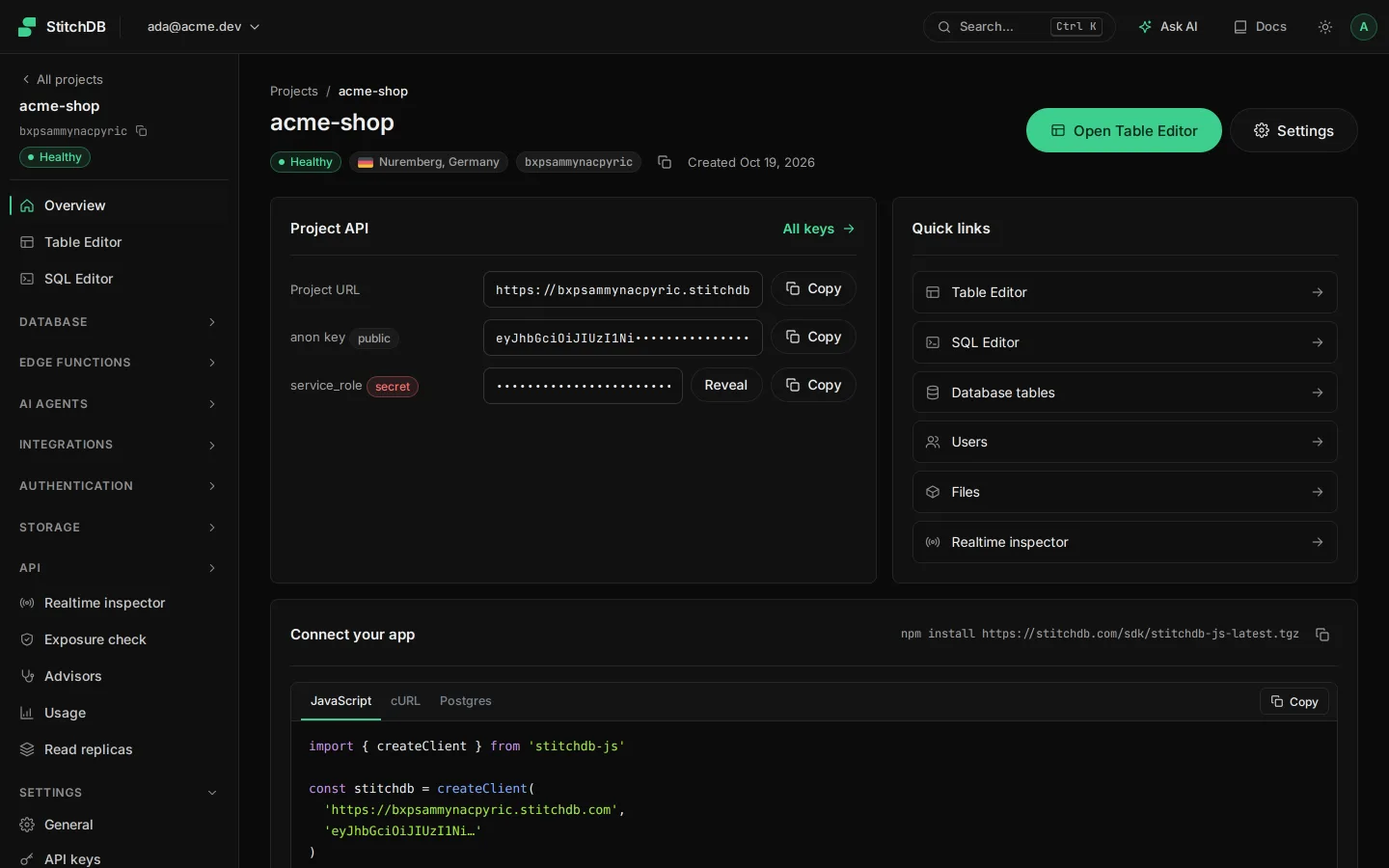
Connect
Copy connection strings and keys from the dashboard's Settings pages.

Explore the platform
Start building on StitchDB today
Create your first project in under a minute.