The complete backend for your app
Database, auth, APIs, storage, realtime and functions, plus push notifications, in-app purchases, analytics and crash reports. One project, one SDK, built on Postgres. Start free, scale when you grow.
Free plan · No credit card required · Ready in seconds

- Every service in one project
- Its own database per project
- SDKs for 6 languages
- Safe for AI agents
Products
Everything your backend needs
Core services, app services and tools: one project, one set of keys.
Database
A dedicated Postgres database for every project. Full SQL, extensions like vector and PostGIS, and direct connections over TLS.
Learn moreAuthentication
Email and password sign-ups, sessions and JWTs. Users live in your own database and auth.uid() works in SQL.
REST API
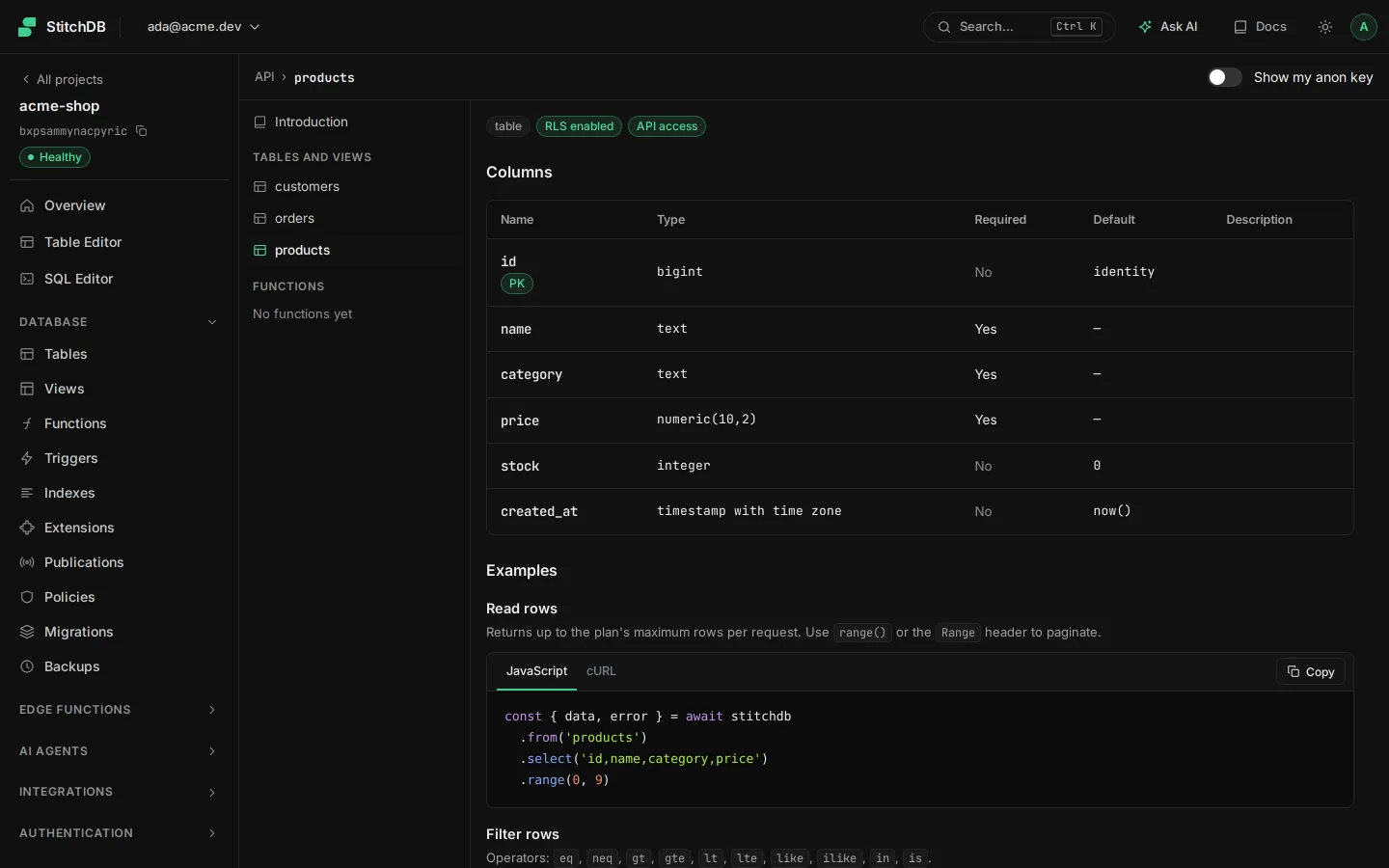
Create a table and get a secure REST API instantly, with filtering, pagination, relations and RPC.
Learn moreRealtime
Listen to database changes, broadcast messages and track presence over websockets.
Learn moreStorage
Public and private buckets, signed URLs and access rules written in SQL.
Learn moreStudio
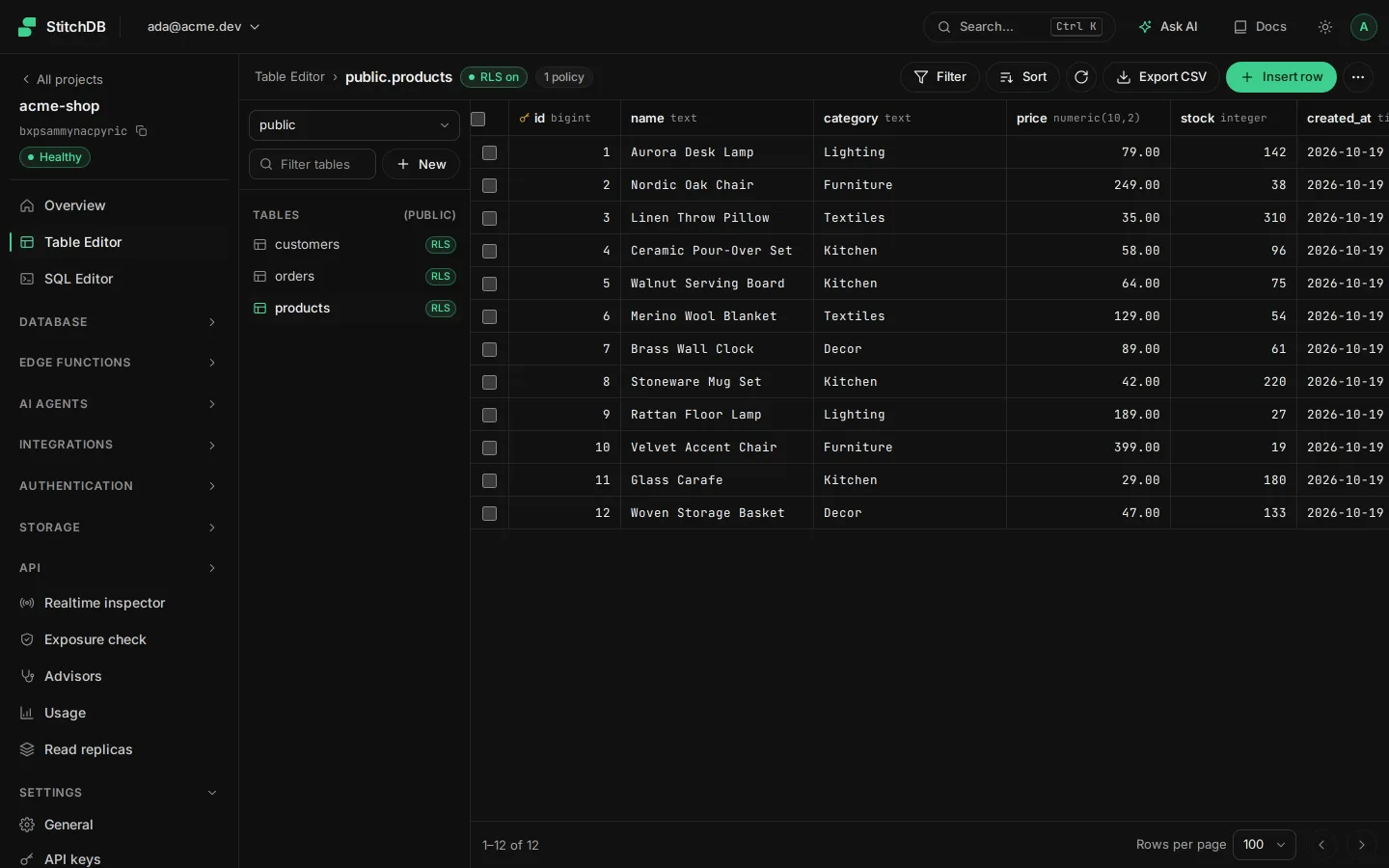
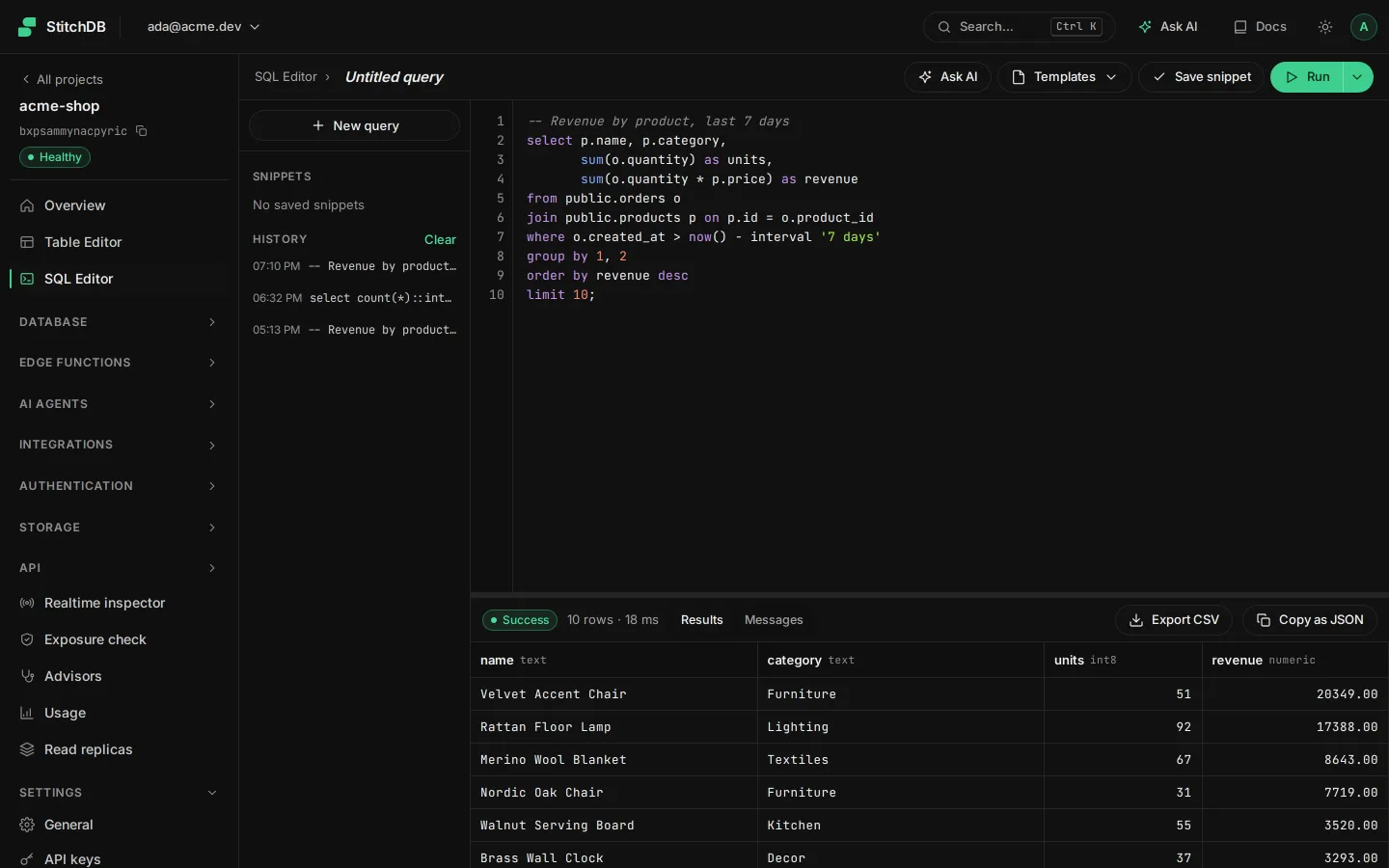
A dashboard for every project: table editor, SQL editor, users, files, realtime inspector and policies.
Learn moreApp services
Everything else your app needs
The parts you would otherwise wire up from five other services, already in your project.
Edge Functions
Write server code in TypeScript and deploy it with one command. Background jobs, queues and cron included.
Learn morePush notifications
Send to iOS, Android and browsers from SQL, Edge Functions or your server, with an in-app inbox per user.
Learn moreIn-app purchases
Verify App Store and Google Play purchases and keep subscriptions in sync with your users.
Learn moreAnalytics and crash reports
Events, funnels and crash reports with source maps, stored next to your data.
Feature flags
Turn features on for some users, roll out step by step, and switch them off without a release.
Search and offline sync
Full-text search over your tables, and apps that keep working offline and sync when back online.
Dashboard
One dashboard for your whole backend
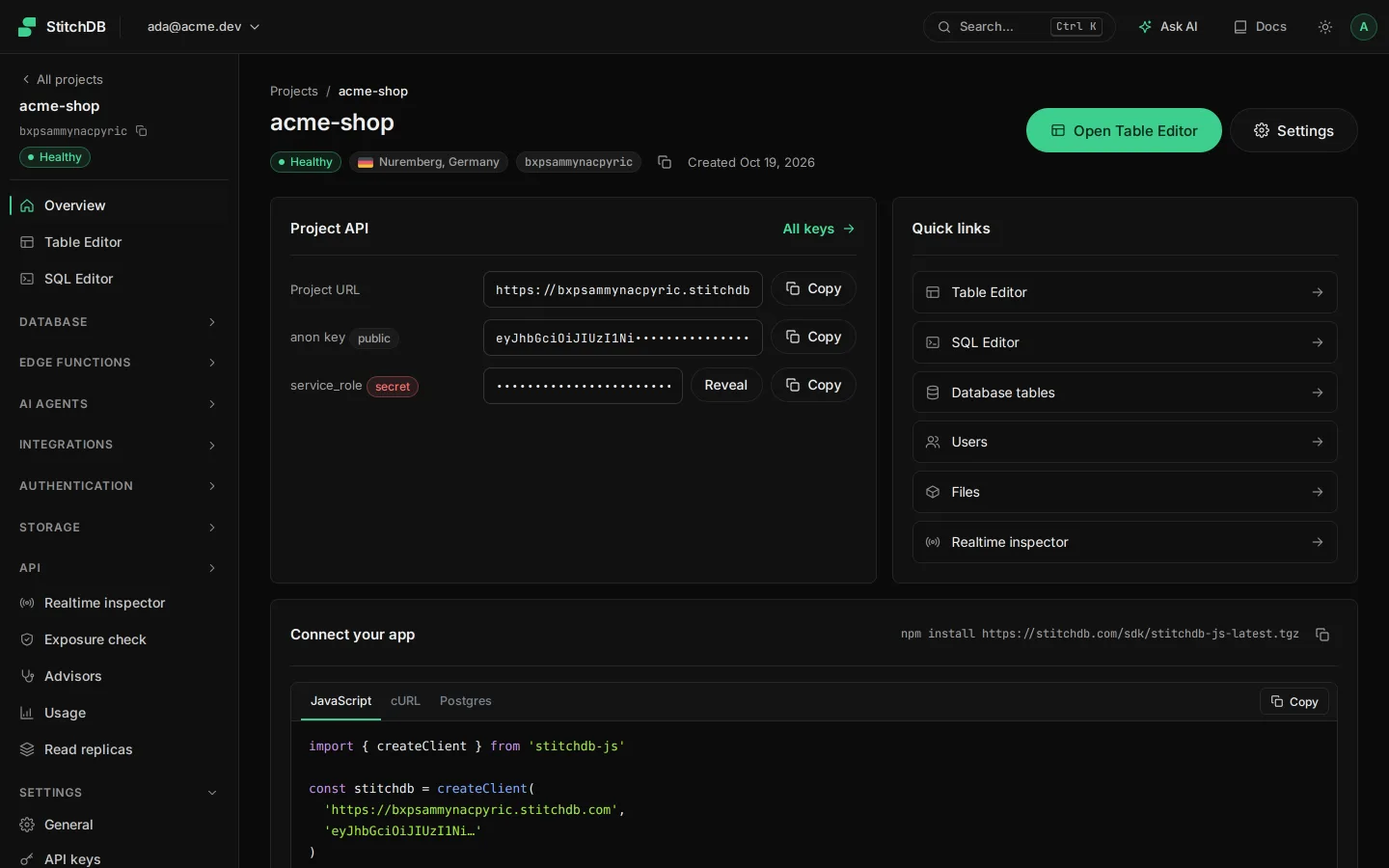
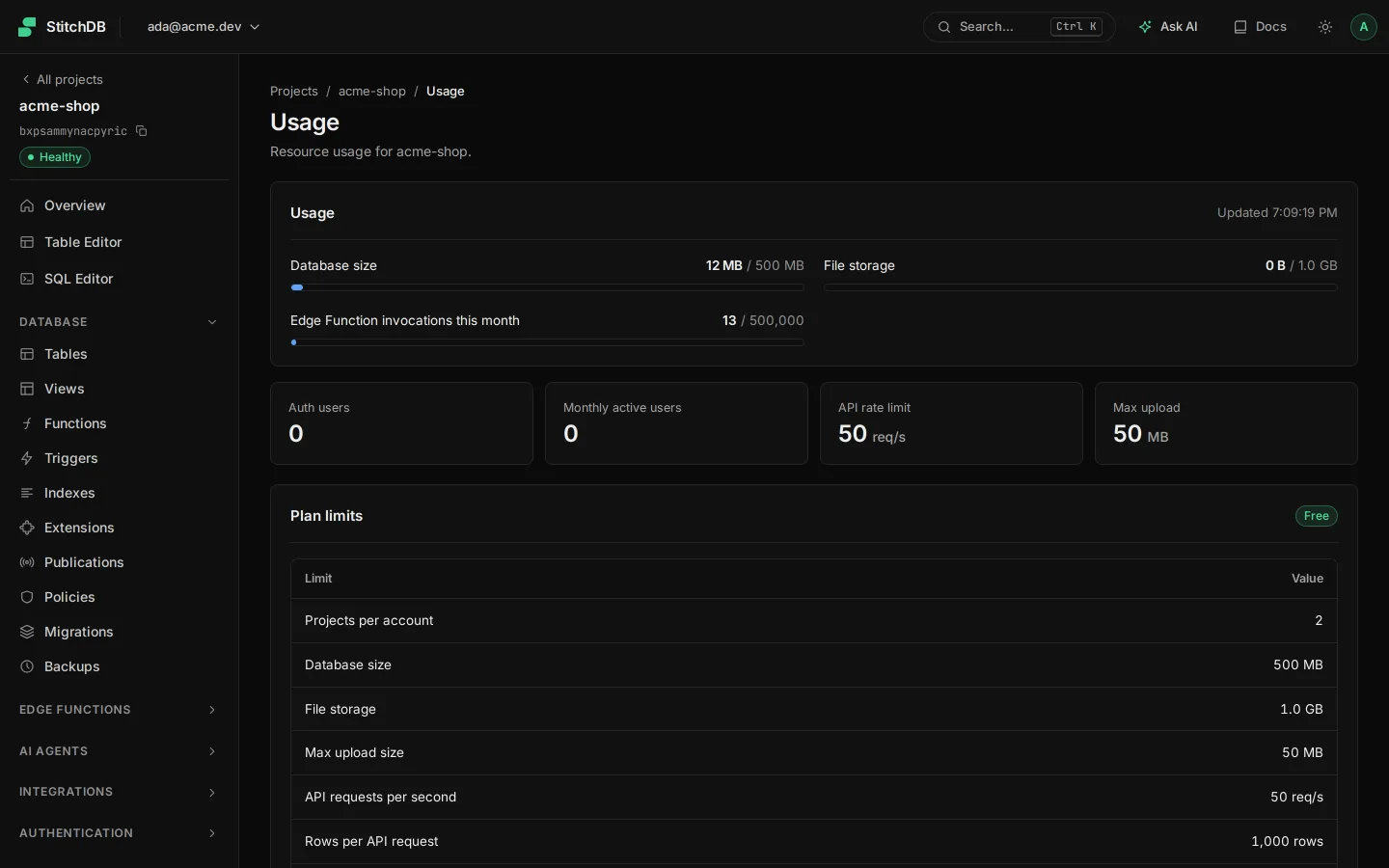
Table editor, SQL editor, generated API docs, users, files and usage — inside your dashboard, ready the moment you open it.




How it works
From empty project to live app in three steps
Create a project
A database, auth, APIs, storage, realtime and functions are ready in about five seconds.
Design your schema
Create tables in the table editor or with SQL, then protect them with Row Level Security policies.
Ship your app
Install
stitchdb-js, paste your project URL and anon key, and start querying.
import { createClient } from 'stitchdb-js'

const stitchdb = createClient(
  'https://<project-ref>.p.stitchdb.com',
  '<anon-key>'
)

await stitchdb.auth.signInWithPassword({ email, password })

const { data } = await stitchdb
  .from('todos')
  .select('id, task, is_complete')
  .order('created_at')
curl 'https://<project-ref>.p.stitchdb.com/rest/v1/todos?select=id,task&is_complete=eq.false' \
-H "apikey: <anon-key>" \
-H "Authorization: Bearer <user-access-token>"psql "postgresql://p_<ref>_owner.<ref>:<password>@pooler.stitchdb.com:5432/p_<ref>?sslmode=require"Built for AI agents
Let agents work on your data. Not wreck it.
Give every AI agent its own key with exactly the access its job needs. Risky statements wait for a person, and one click undoes everything an agent session changed.
Agent keys
A key per agent with its own Postgres role, allowed tables, row limits and a query firewall that explains every refusal.
Learn moreUndo an agent session
Every row and schema change an agent makes is recorded. Revert one session and keep everyone else's writes.
Learn moreExposure check
See exactly what an anonymous visitor can read and write, and keep new tables protected automatically.
Learn moreSecurity
Isolated by default
Projects never share a database. Each one has its own roles, JWT secret and API keys.
Row Level Security
Write access rules once in SQL and they apply to every API call, file and realtime message.
Encrypted in transit
All APIs are served over HTTPS and Postgres connections require TLS.
Separate credentials
A public anon key for browsers, a secret service_role key for servers, and a database password per project.
Pricing
Start free. Upgrade when you need more.
Free
For side projects and prototypes
Start for free- 2 projects
- 500 MB database per project
- 1 GB file storage, shared
- 25 GB egress
Pro
For production apps
Start free, upgrade later- 1 project, then $9 each
- 10 GB database per project
- 100 GB file storage, shared
- 1 TB egress
Scale
For growing apps that need more room
Start free, upgrade later- 2 projects, then $15 each
- 20 GB database per project
- 250 GB file storage, shared
- 2 TB egress
Enterprise
For agencies and platforms
Start free, upgrade later- 10 projects, then $18 each
- 20 GB database per project
- 1 TB file storage, shared
- 8 TB egress
Developers
Built for developers
Quickstart
Create a table, add a policy and read it from JavaScript.
ReadSDKs
Official clients for JavaScript, Python, C#, Kotlin, Dart/Flutter and Swift.
ReadEdge Functions
Write, deploy and call server code next to your data.
ReadRow Level Security
Control exactly which rows each user can read and write.
ReadStart building on StitchDB today
Create your first project in under a minute.