Database
A dedicated Postgres database for every project
Each StitchDB project is its own Postgres database with its own roles, credentials and extensions. Use full SQL, connect with any driver or ORM over TLS, and let the platform run the services around it.
create extension if not exists vector with schema extensions;

create table public.documents (
  id bigint generated always as identity primary key,
  content text,
  embedding extensions.vector(1536)
);
psql "postgresql://p_<ref>_owner.<ref>:<password>@pooler.stitchdb.com:5432/p_<ref>?sslmode=require"What you get
Postgres, without the operations
Full Postgres
Tables, views, functions, triggers and transactions — nothing is abstracted away.
Extensions
vector, postgis, pg_trgm, citext, hstore, ltree, unaccent, fuzzystrmatch, btree_gist, pg_stat_statements, pgcrypto and uuid-ossp.
Direct connections
Session mode on port 5432 for servers and tools, transaction mode on 6543 for serverless and short-lived connections. TLS required.
In the dashboard
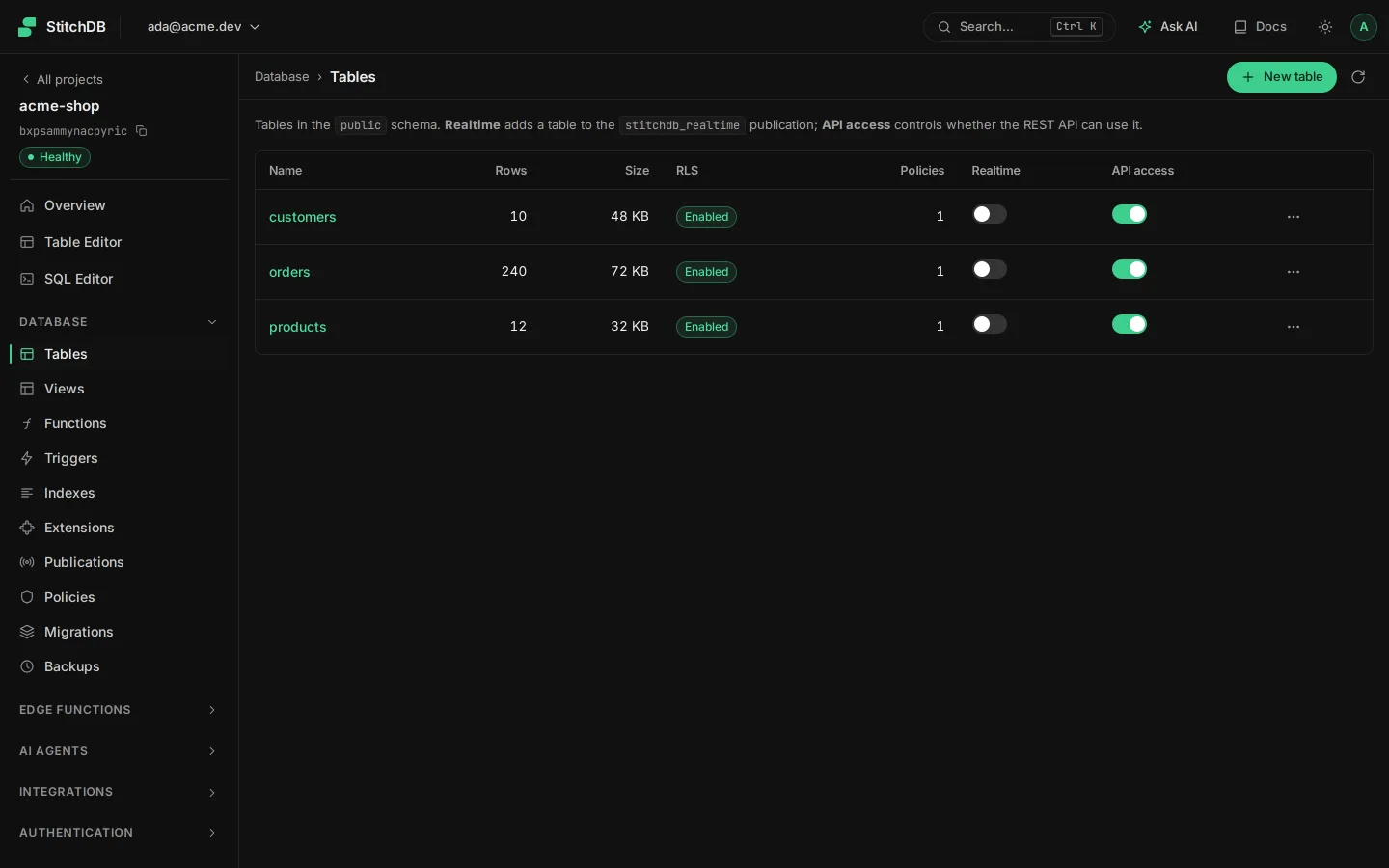
Database in your project dashboard
A real screen from the StitchDB dashboard.

How it works
Get started with Database
Create a project
Your database is provisioned with the
public,authandstorageschemas and a built-in realtime publication.Design your schema
Use the Studio table editor or run SQL. Tables you create are exposed through the API, always protected by Row Level Security.
Connect your tools
Copy the connection strings from Settings → Database and use them with psql, Prisma, Drizzle, Knex or SQLAlchemy.
DATABASE_URL="postgresql://p_<ref>_owner.<ref>:<password>@pooler.stitchdb.com:6543/p_<ref>?sslmode=require"Example
See it in code
create function public.count_open_todos()
returns bigint
language sql
as $$
  select count(*) from public.todos where not is_complete
$$;
const { data, error } = await stitchdb.rpc('count_open_todos')Explore the platform
Start building on StitchDB today
Create your first project in under a minute.